Why teams like it
- Runs fully local on
localhost - No forced paywall for every research run
- Clear separation between quick and deep workflows
LOCAL-FIRST • FAST + DEEP • MCP READY
Argentic Search Lab is a local-first stack with Quick/Deep pipelines, SearXNG retrieval, and MCP tool-calls. No mandatory subscription. Your hardware, your models, your control.
Live Demo is limited to 2 interactions. Install locally for full performance and unlimited runs.
localhostUse bootstrap for fastest setup, or manual commands if you prefer explicit control.
bash <(curl -fsSL https://raw.githubusercontent.com/zvspuentus-rgb/Argentic-Search-Lab/main/scripts/bootstrap.sh)
git clone https://github.com/zvspuentus-rgb/Argentic-Search-Lab.git
cd Argentic-Search-Lab
cp .env.example .env
docker compose up -d --build
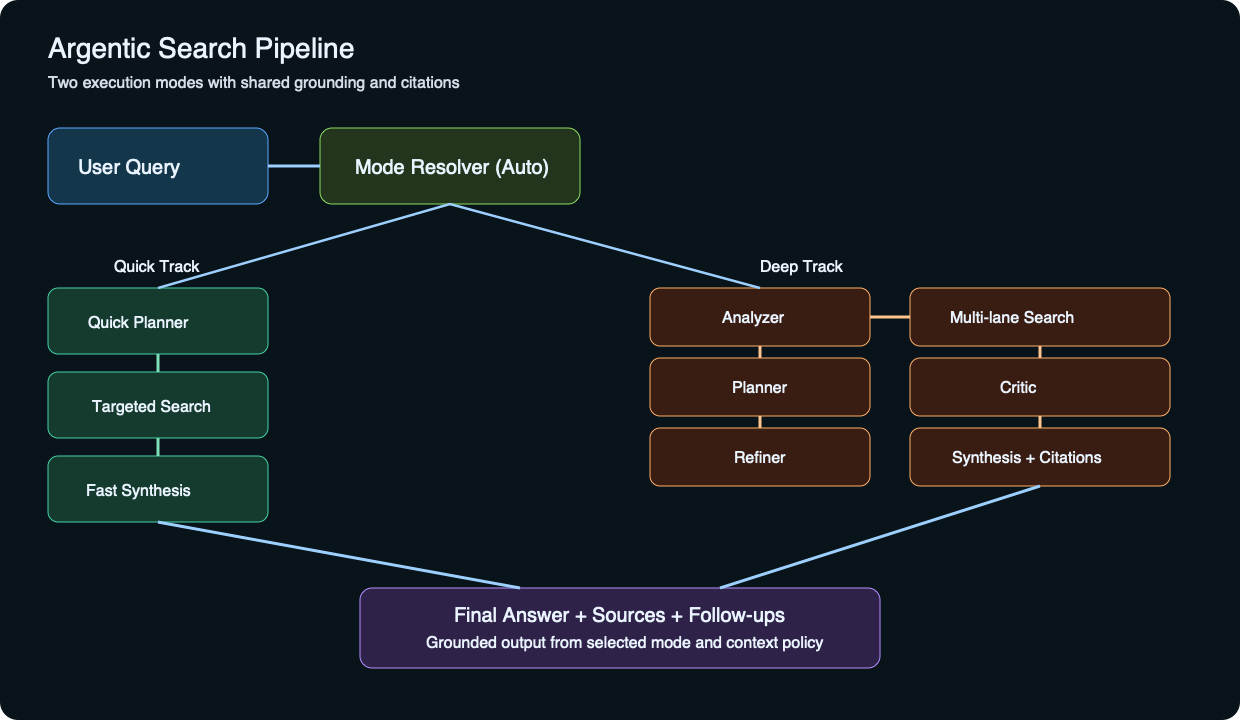
http://localhost:8093http://localhost:8193/mcphttp://localhost:8393/search?q=test&format=jsonClear difference between speed-focused and quality-focused research paths.
Latency-first profile
Coverage and confidence profile
High-level execution map from query to grounded output.
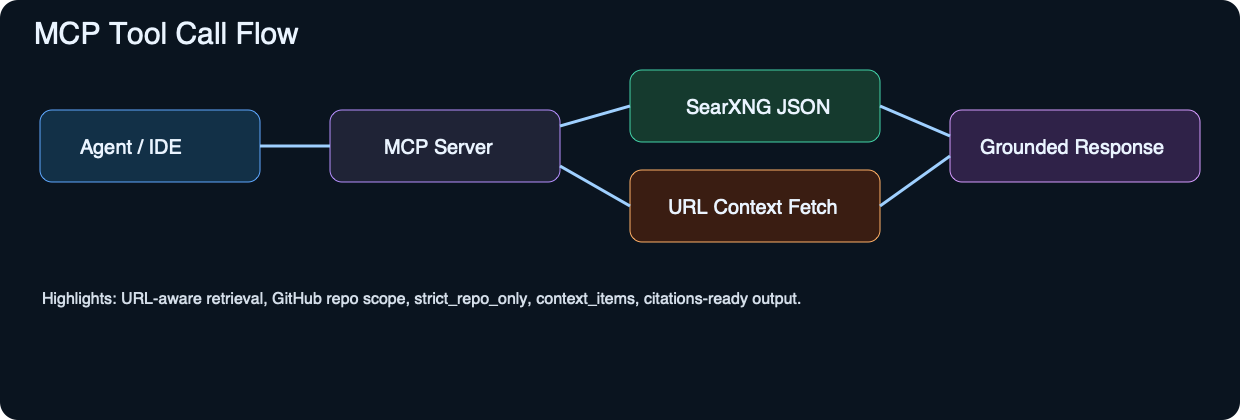
Use JSON-RPC calls for quick/deep retrieval and URL context extraction.
{
  "jsonrpc": "2.0",
  "id": 11,
  "method": "tools/call",
  "params": {
    "name": "search_deep",
    "arguments": {
      "query": "analyze this repo https://github.com/zvspuentus-rgb/Argentic-Search-Lab/tree/main",
      "limit": 10,
      "include_context": true,
      "context_max_urls": 8,
      "strict_repo_only": true
    }
  }
}
Short answers to common setup and quality questions.
Yes. Core usage is local-first with no mandatory subscription wall.
Hosted demo is quota-limited (2 interactions) to control free-tier resource usage. Local install is unrestricted.
Use stronger local models and Deep mode for high-stakes research tasks.
Whenever the query targets a specific GitHub repository and you want only repo-scoped evidence.